


How to Monitor Electricity Usage at Home: 4 Practical Options
How to Monitor Electricity Usage at Home: 4 Practical Options
If the electricity bill is rising, the first challenge is usually not deciding what to switch off. It is finding out when electricity is being used and which part of the home needs closer attention.
There is no single power consumption monitoring device for home that is best for every question. The right choice depends on whether you need:
- An official monthly total
- A real-time whole-home view
- The consumption of one plug-in appliance
- A separate measurement for one important circuit
- Local data for a smart-home or automation system
The four most practical options are:
- Utility smart meter
- Whole-home energy monitor
- Smart plug with energy measurement
- Dedicated circuit sub-meter
This guide compares what each option measures, what it cannot tell you, and when combining two methods provides a better answer.
1. Start with the Question You Want to Answer
Before choosing hardware, define the monitoring goal.
| Question | Most suitable starting point |
|---|---|
| How many kWh did the utility bill me for? | Utility smart meter or utility bill |
| How much power is the complete home using now? | Whole-home energy monitor |
| When do peaks and overnight base load occur? | Whole-home energy monitor |
| How much does one plug-in appliance consume? | Smart plug with energy measurement |
| How much does a hardwired heat pump or water heater consume? | Dedicated circuit sub-meter |
| How much electricity does each phase or line use? | Multi-channel whole-home meter |
| Can I use the measurements in Home Assistant? | A meter or smart plug with a supported local integration |
Choosing the question first prevents a common mistake: expecting one measurement point to automatically explain every appliance in the home.
2. Option 1: Utility Smart Meter
A utility smart meter is the official measurement point used for billing. Depending on the utility, the customer may receive daily, hourly or near-real-time data through a portal or in-home display.
Best For
- Checking official import and export totals
- Comparing the bill with another monitoring system
- Reviewing long-term household consumption
Limitations
- Access and refresh rate depend on the utility.
- The available data may be delayed.
- It normally shows the total at the grid connection, not individual circuits.
- Integration options vary by utility and region.
A utility meter is the billing authority, but it may not provide the refresh rate, local access or analysis needed for active energy management.
3. Option 2: Whole-home Energy Monitor
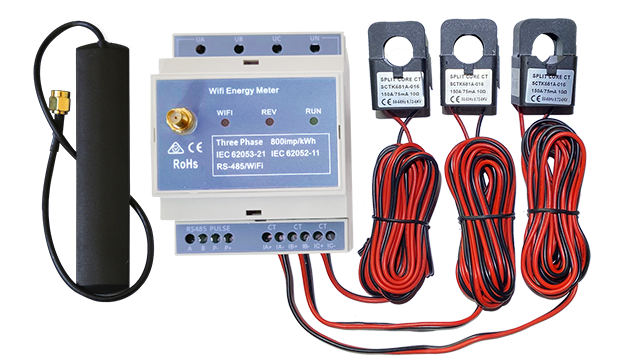
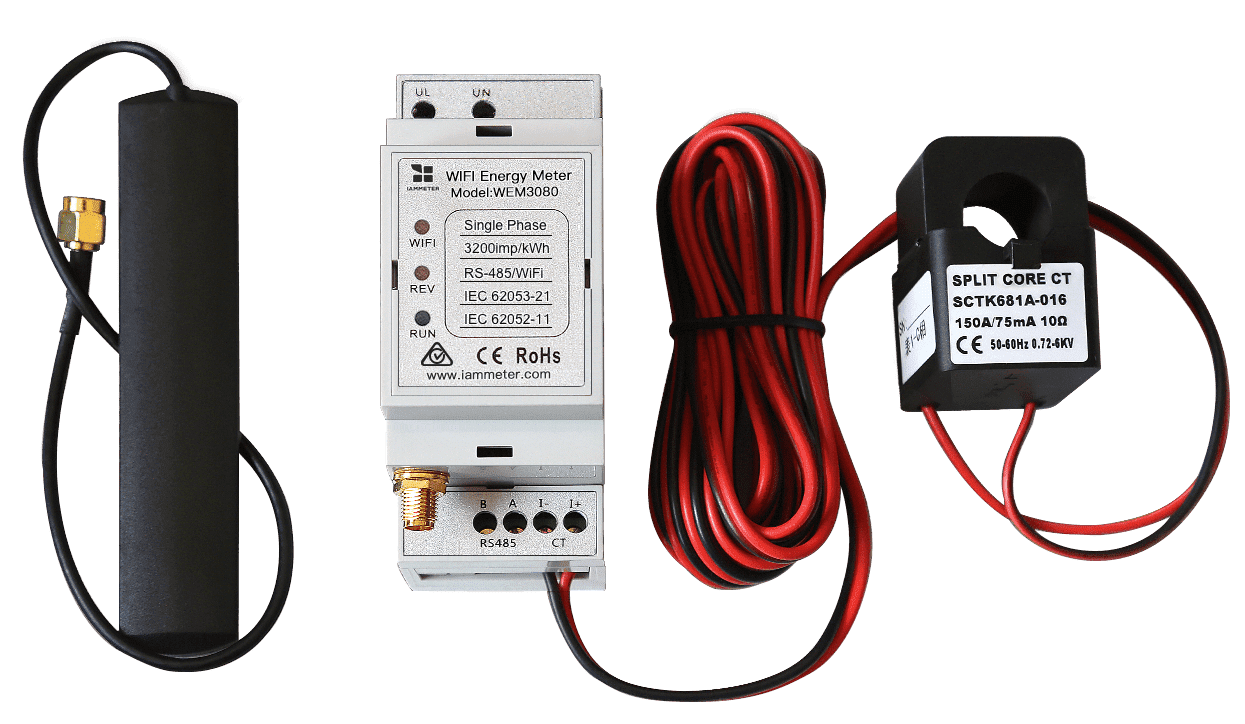
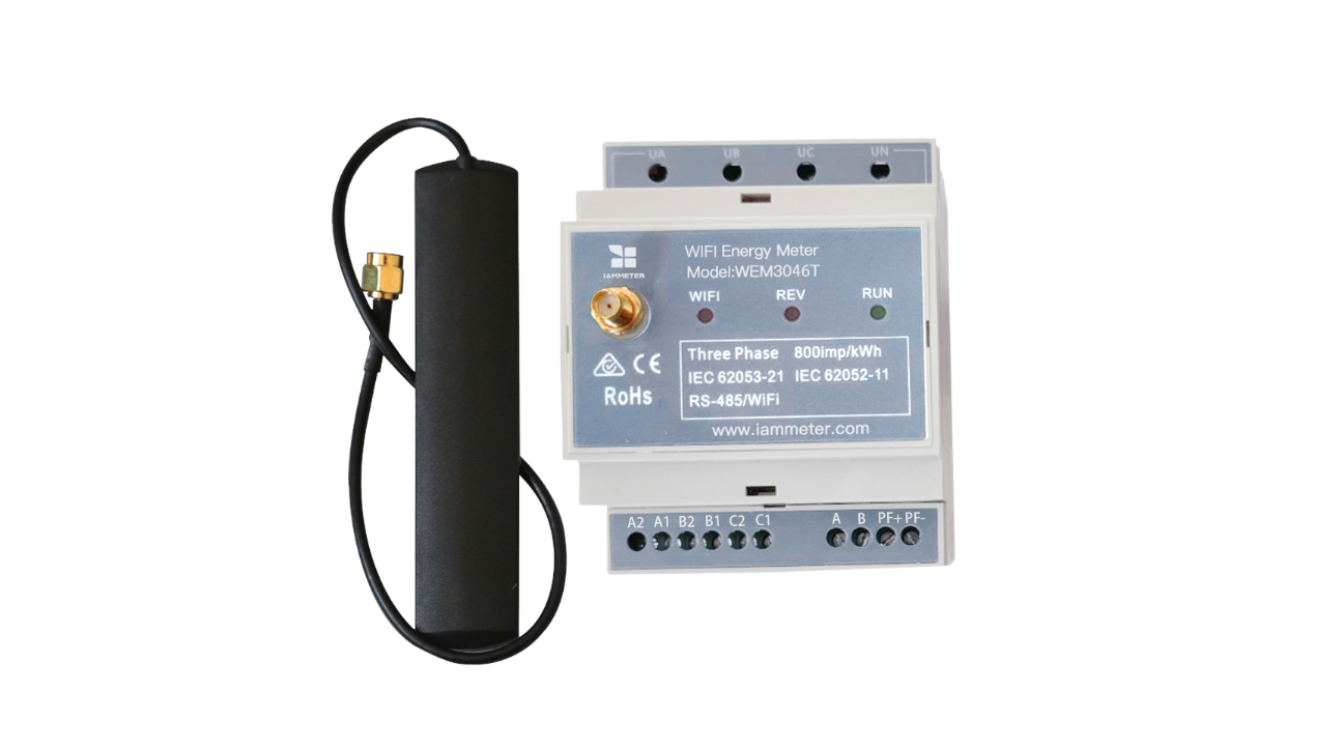
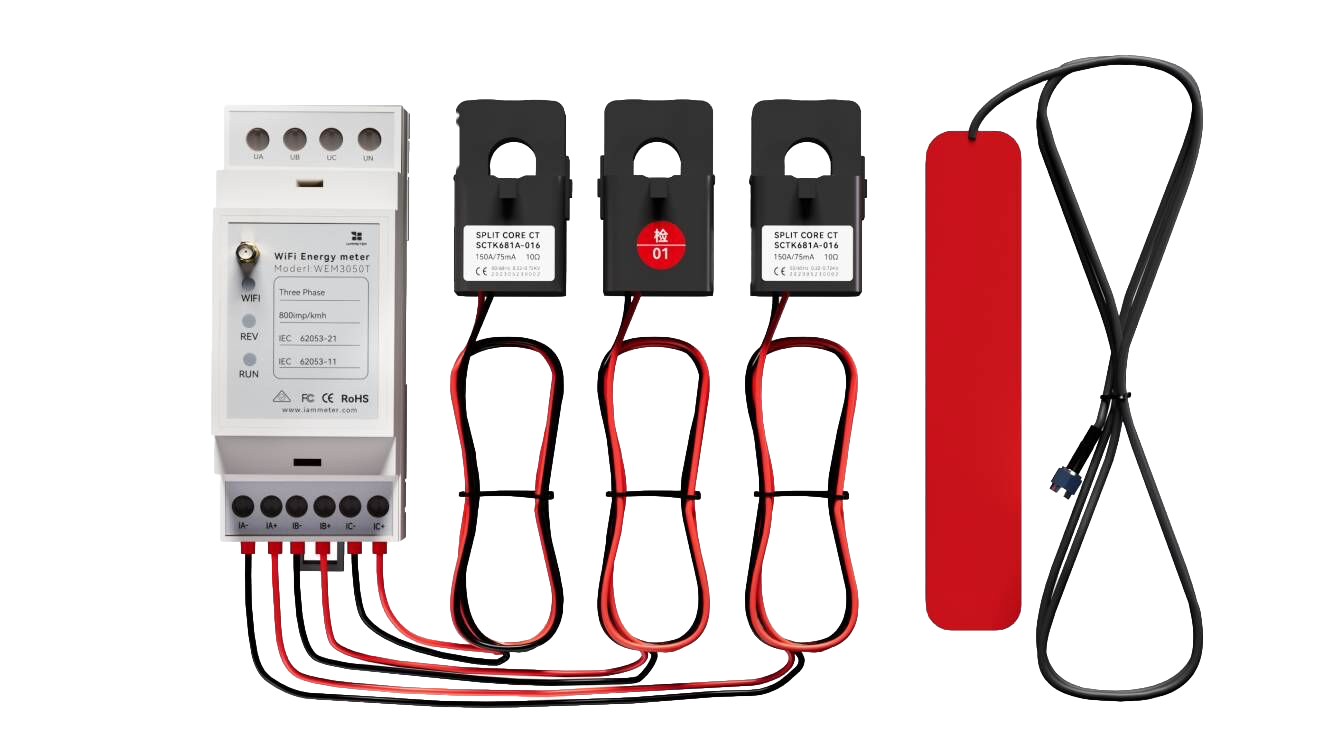
A whole-home energy monitor is installed at the electrical panel and measures the conductors supplying the home. It can record real-time power and accumulated kWh continuously.
This is usually the most useful starting point when the homeowner wants to understand the overall pattern rather than one appliance.
Best For
- Real-time total home power
- Daily, monthly and billing-period kWh
- Peak demand
- Overnight base load
- Electricity-cost estimates
- Before-and-after comparisons
- Monitoring hardwired and plug-in loads as part of the total
Limitations
- One whole-home measurement does not directly measure each appliance separately.
- A power change may suggest that a large load switched on, but this is not the same as dedicated appliance metering.
- Panel installation and CT placement should be completed correctly, normally by a qualified electrician.
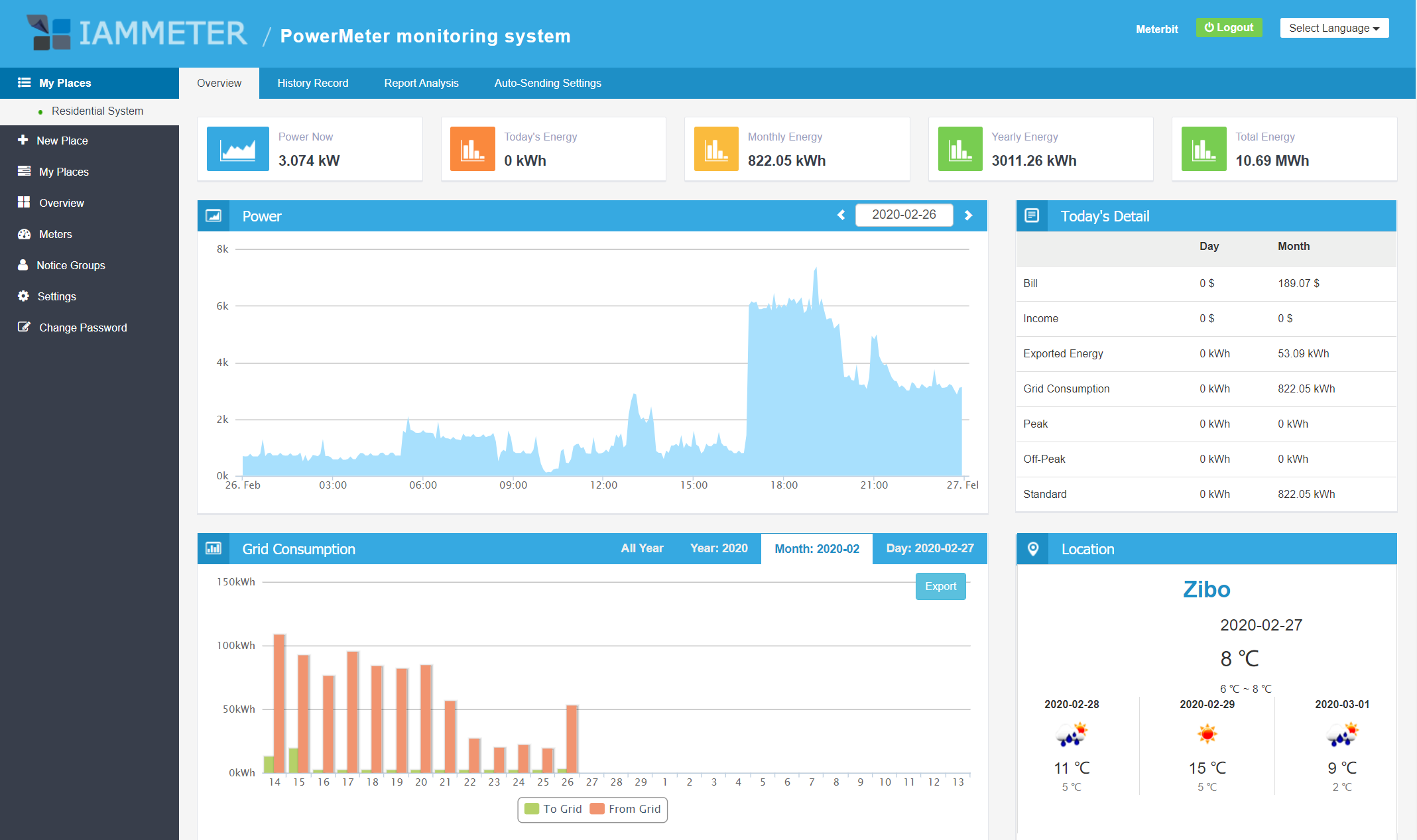
What You Can Learn from the Pattern
Even without automatic appliance identification, whole-home data can answer useful questions:
- Is the home using 300 W or 1,200 W when everyone is asleep?
- At what time does the daily peak occur?
- Did changing the water-heating schedule reduce peak-period consumption?
- Is this billing period likely to cost more than the previous one?
- Did a known large load run for longer than expected?
For a complete IAMMETER residential solution and meter selector, see Home Energy Monitoring.
4. Option 3: Smart Plug with Energy Measurement
A smart plug measures one appliance connected through a standard wall outlet. It is a convenient way to investigate a suspected plug-in load.
Best For
- Refrigerators and freezers
- Computers and entertainment equipment
- Portable heaters within the plug's rated capacity
- Standby consumption
- Comparing appliance operating modes
Limitations
- It cannot monitor hardwired appliances.
- It cannot measure the whole home.
- The plug's voltage, current and power rating must be suitable for the appliance.
- Several smart plugs can create fragmented data across different apps or platforms.
A smart plug complements a whole-home monitor well: use the whole-home trend to find a suspicious period, then use a smart plug to investigate a specific plug-in appliance.
5. Option 4: Dedicated Circuit Sub-meter
A circuit sub-meter measures one branch circuit or one major load at the electrical panel. It is useful when the load is hardwired or important enough to justify permanent separate measurement.
Best For
- Heat pumps
- Electric water heaters
- Air-conditioning circuits
- EV chargers
- Workshops or outbuildings
- A rental area or separate household zone
Limitations
- It measures only the selected circuit.
- It requires a suitable installation point and an additional measurement channel or meter.
- The measured circuit is already included in the whole-home total when both measurement points are downstream/upstream in the same supply path.
Do not add a dedicated-circuit reading to the whole-home reading when the circuit is already part of that whole-home total. Use it as a component for comparison.
6. Comparison: Which Home Electricity Monitor Should You Choose?
| Capability | Utility smart meter | Whole-home monitor | Smart plug | Circuit sub-meter |
|---|---|---|---|---|
| Official billing total | Yes | No | No | No |
| Real-time whole-home power | Utility-dependent | Yes | No | No |
| Historical whole-home kWh | Utility-dependent | Yes | No | No |
| One plug-in appliance | No | Indirectly as part of total | Yes | Only if it has a dedicated circuit |
| One hardwired load | No | Indirectly as part of total | No | Yes |
| Peak and base-load analysis | Data-dependent | Yes | For one appliance | For one circuit |
| Local smart-home integration | Utility-dependent | Model-dependent | Model-dependent | Model-dependent |
| Electrical-panel installation | Already installed by utility | Yes | No | Yes |
A Practical Combination
For many homes, the most useful approach is:
- Use a whole-home meter to establish the total pattern.
- Identify an expensive hour, persistent base load or unexplained peak.
- Use a smart plug or dedicated circuit channel to investigate a specific load.
- Make one change.
- Compare the same hours or days after the change.
This avoids installing a sensor on every appliance while still providing evidence for decisions.
7. Match a Whole-home Meter to the Electrical Supply
If whole-home monitoring is the right starting point, the meter must match the residential electrical topology.
| Home supply or monitoring goal | IAMMETER residential model |
|---|---|
| Single-phase whole home | WEM3080 |
| Split-phase whole home | WEM2067 |
| Single-phase whole home plus one dedicated circuit | WEM2067 |
| Single-phase grid plus solar inverter output | WEM2067 |
| Three-phase residential supply | WEM3050T |
This list focuses on residential installations. IAMMETER's other three-phase and CT-operated meters are intended for commercial or industrial projects.
For CT positions, measurement boundaries and post-installation validation, use the Residential Electricity Monitoring Setup Guide.
8. Decide How You Want to Use the Data
Hardware is only one part of the monitoring decision. Also consider where the data will be stored and analyzed.
Ready-to-use Cloud Monitoring
IAMMETER-Cloud provides dashboards, historical kWh, tariff-based electricity-cost estimates, billing periods and reports.
Home Assistant
Home Assistant can use IAMMETER entities in local dashboards, the Energy Dashboard and automations.
Local and Self-hosted Monitoring
For users who want local access, IAMMETER supports options including local API, MQTT and Modbus TCP, depending on the integration method.
9. Questions to Ask Before Buying
Use this checklist when comparing a home electricity monitoring device:
- Is the home single-phase, split-phase or three-phase?
- Do I need the whole-home total, one appliance, or one dedicated circuit?
- How many conductors or measurement points are required?
- Do I need import/export measurement for solar?
- How often do I need the data to update?
- Do I want a ready-to-use cloud service, local integration, or both?
- Can the data be exported or accessed through an open interface?
- How will electricity tariffs and billing periods be configured?
- Who will install and validate the meter?
- What specific decision will I make with the data?
10. From Monitoring to Measurable Savings
Monitoring alone does not reduce a bill. It supplies the evidence needed to choose and verify an action.
A useful process is:
- Record at least seven days of baseline data; use 28 days when practical.
- Note peak power, overnight base load, total kWh and estimated cost.
- Select one change, such as a schedule adjustment or removal of unnecessary standby load.
- Compare similar hours and days after the change.
- Account for weather, occupancy and tariff differences.
- Keep the change when the measured kWh or cost supports it.
For reporting examples, see How to Analyze Electricity Consumption.
11. Next Steps
- Understand what whole-home monitoring can reveal: Electricity Usage Monitor for Home
- Choose the residential IAMMETER model: Home Energy Monitoring Solution
- Plan CT positions and validate readings: Residential Electricity Monitoring Setup
- Complete standard installation and Wi-Fi setup: Product Quick Start
- Explore solar monitoring: Home Solar Monitoring Solution
The best monitoring system is the one that measures the right boundary and helps answer a question you are prepared to act on.