



Custom OEM Logos for the IAMMETER Local Web UI
OEM partners can upload their own logo to a WEM energy meter and display it alongside their brand name in the device’s local web interface. The examples below apply to Wi-Fi firmware i.91.065.24 and use POST /api/setbrand.
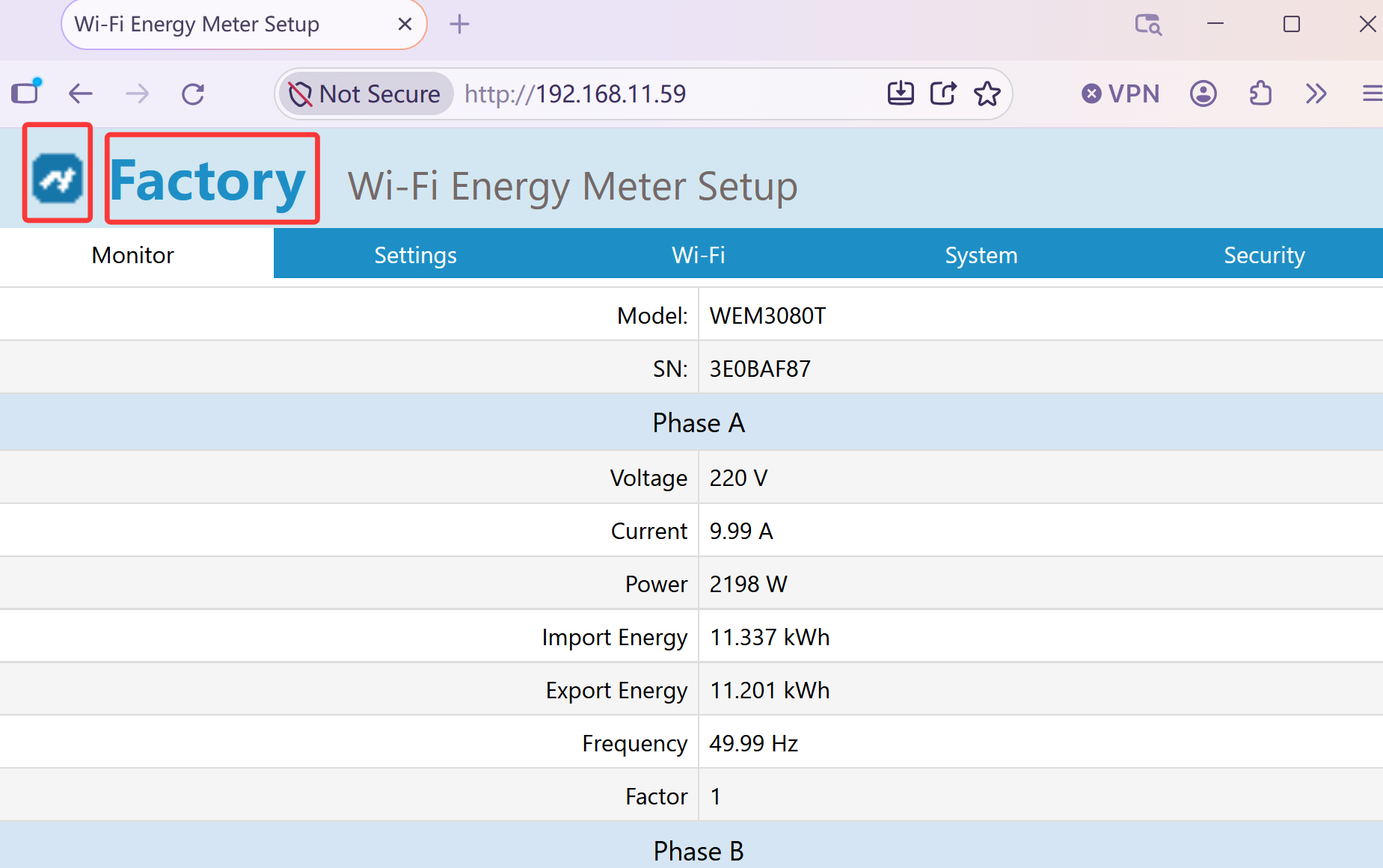
Test the API in Swagger
- Open WEM API Test, enter your meter’s local IP address, and click Apply.
- Open
POST /api/setbrand, click Try it out, and select the Full update example. Replace the sample brand text, hotspot prefix, and Base64 image with your own values. SetshowIammeterto0to display your branding. - If the Security Module is enabled, use Authorize to enter your local administrator credentials. Click Execute, check the response, then refresh the meter’s local web page.
Request fields and limits
Send an application/json request with at least one of the following fields. Omitted fields keep their saved values. When the Security Module is enabled, the POST requires administrator HTTP Basic Authentication.
| Field | Accepted value |
|---|---|
showIammeter | 1 displays IAMMETER branding. 0 displays the OEM brand text and the saved logo when available. |
brandText | Brand text in the upper-left corner of the local web page. Use 1–20 printable ASCII characters. |
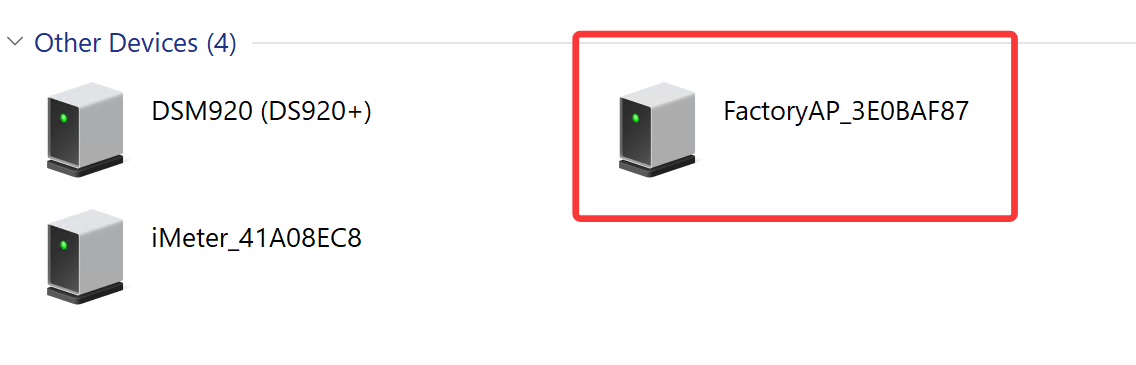
apSsid | Wi-Fi hotspot prefix. Use 1–19 printable ASCII characters. The full name follows the pattern prefix_serialNumber. |
logoBase64 | PNG, JPEG, or static WebP, up to 256 pixels on each side. Use up to 2,048 Base64 characters (1,536 decoded bytes). Send the Base64 string without a data: prefix or line breaks. |
brandText and apSsid cannot contain double quotes or backslashes. The entire JSON request body is limited to 2,304 bytes.
curl examples
Replace <device-ip> with the meter’s local IP address. If the Security Module is enabled, add --user 'ADMIN_USERNAME' to the curl command. curl will prompt for the password.
Update the brand text and hotspot prefix
Omitting logoBase64 keeps the saved logo.
curl -X POST 'http://<device-ip>/api/setbrand' \
  -H 'Content-Type: application/json' \
  -d '{"showIammeter":0,"brandText":"MyBrand","apSsid":"MyBrand"}'
Upload a logo and set all four fields
python3 -c '
import base64, json, sys

with open(sys.argv[1], "rb") as image:
    logo = base64.b64encode(image.read()).decode("ascii")

print(json.dumps({
    "showIammeter": 0,
    "brandText": "MyBrand",
    "apSsid": "MyBrand",
    "logoBase64": logo
}))
' logo.png |
  curl -X POST 'http://<device-ip>/api/setbrand' \
    -H 'Content-Type: application/json' --data-binary @-
Check the response and verify the changes
A successful request returns {"successful":1,"message":"ok"}. Check the successful field even when the HTTP status is 200, since invalid values for the original branding fields can return successful:0 with that status.
- 413 means the request body or Base64 string exceeds its limit.
- 400 means the logo could not be validated, for example because of invalid Base64, an unsupported image format, or excessive dimensions.
- 500 means saving the logo to flash or verifying the saved image failed.
- 503 means the device could not allocate memory for the request or image decoding.
Logo-related errors include an English message and a machine-readable code. Use GET /api/getbrand to read the current configuration and check hasLogo. Use GET /brand-logo to retrieve the saved image. The image endpoint returns 404 if the device has no valid saved logo.
After saving apSsid on i.91.065.24, the <friendlyName> in /info.xml reflects the new prefix on the next read without a reboot. The broadcast AP name and the Wi-Fi client (STA) hostname update the next time networking initializes.
A standard factory reset preserves the saved logo on this firmware. A full device erase deletes it.