


Share Your Solar Summary, Earn Reward Points
title: New Share Card Feature in IAMMETER Contributor Center
abstract: Create a share card from your PV summary and join contributor activities more easily.
author: Jessica
language: en
Introduction
IAMMETER Contributor Center has added a new feature: Share Card.
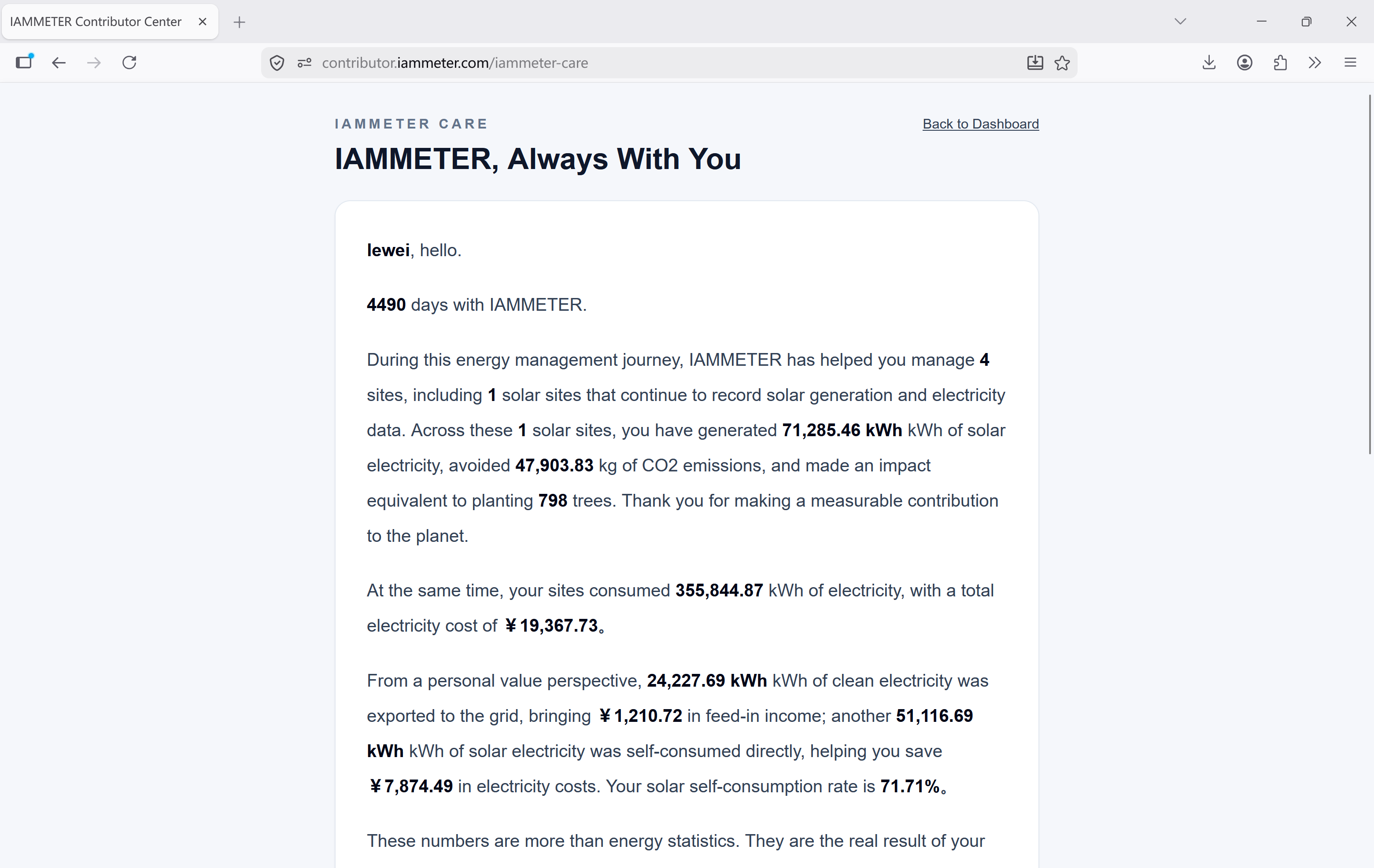
If you already use IAMMETER to manage your solar PV data, you can now generate a visual summary card directly from your contributor page. This card can be used to share your PV results, submit a contribution for reward points, and join the PV ranking page more conveniently.
After signing in with your IAMMETER account, open the page below to view your PV station summary:
This feature turns solar data into something easier to share and easier to use inside the IAMMETER contributor workflow.
What Is the Share Card
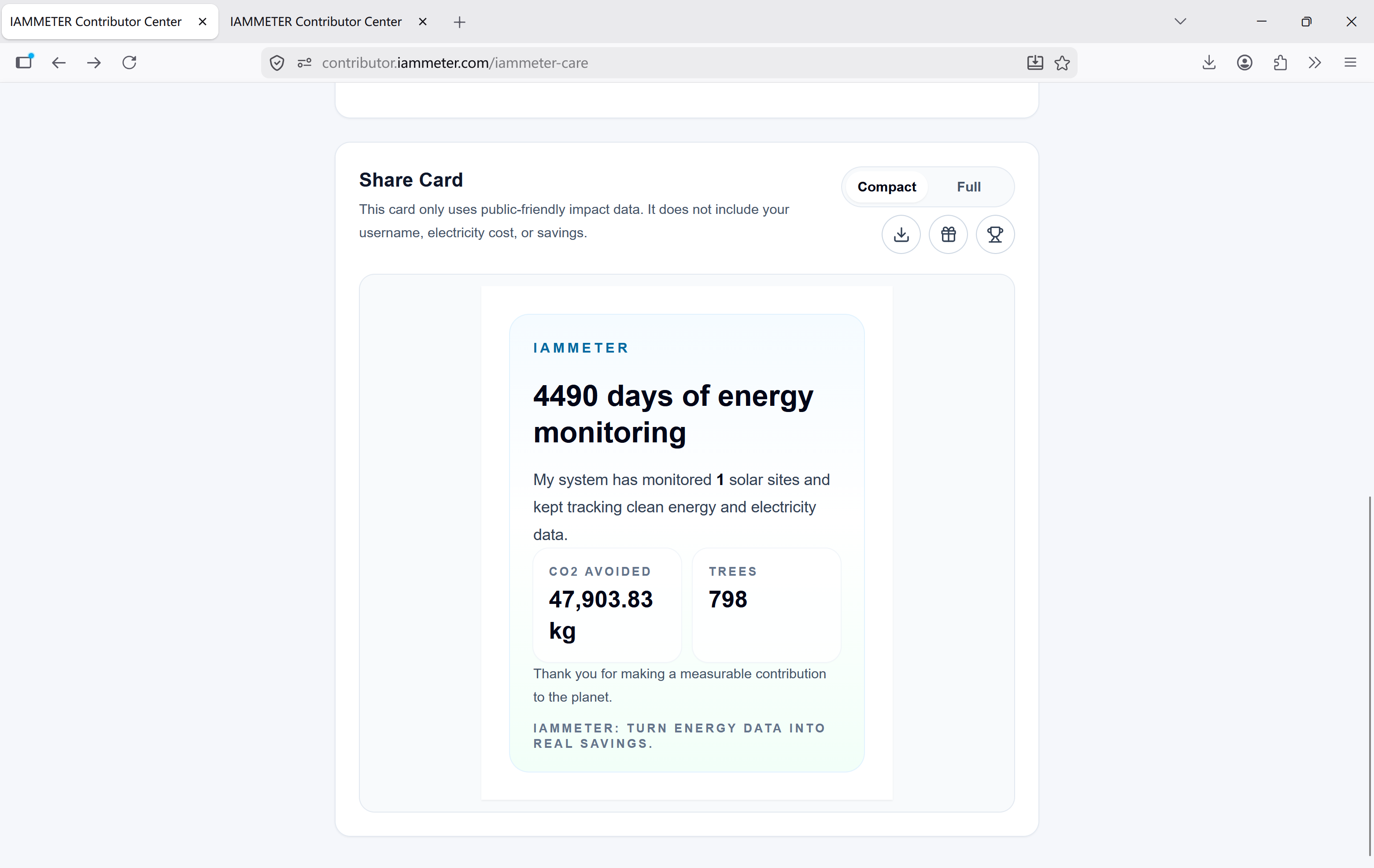
The Share Card is generated from your PV summary data in Contributor Center. It is available in two formats:
Compact: a simplified version for quick sharingFull: a more detailed version with more PV information
You can choose the format that fits your use case.
What You Can Do with the Share Card
The Share Card area includes three main actions.
Download the Share Card Image
The download icon lets you save the current Share Card as an image.
This is useful if you want to:
- share your PV results on social media
- send the summary to friends, customers, or partners
- keep a visual record of your solar generation performance
Submit the Summary for Reward Points
The gift icon lets you use the current summary to submit a contribution directly and apply for reward points.
This means the Share Card is not only for display. It also works as an entry point for IAMMETER contributor activities, reducing the need to organize the same summary content again.
Join the PV Ranking
The trophy icon lets you join the PV ranking.
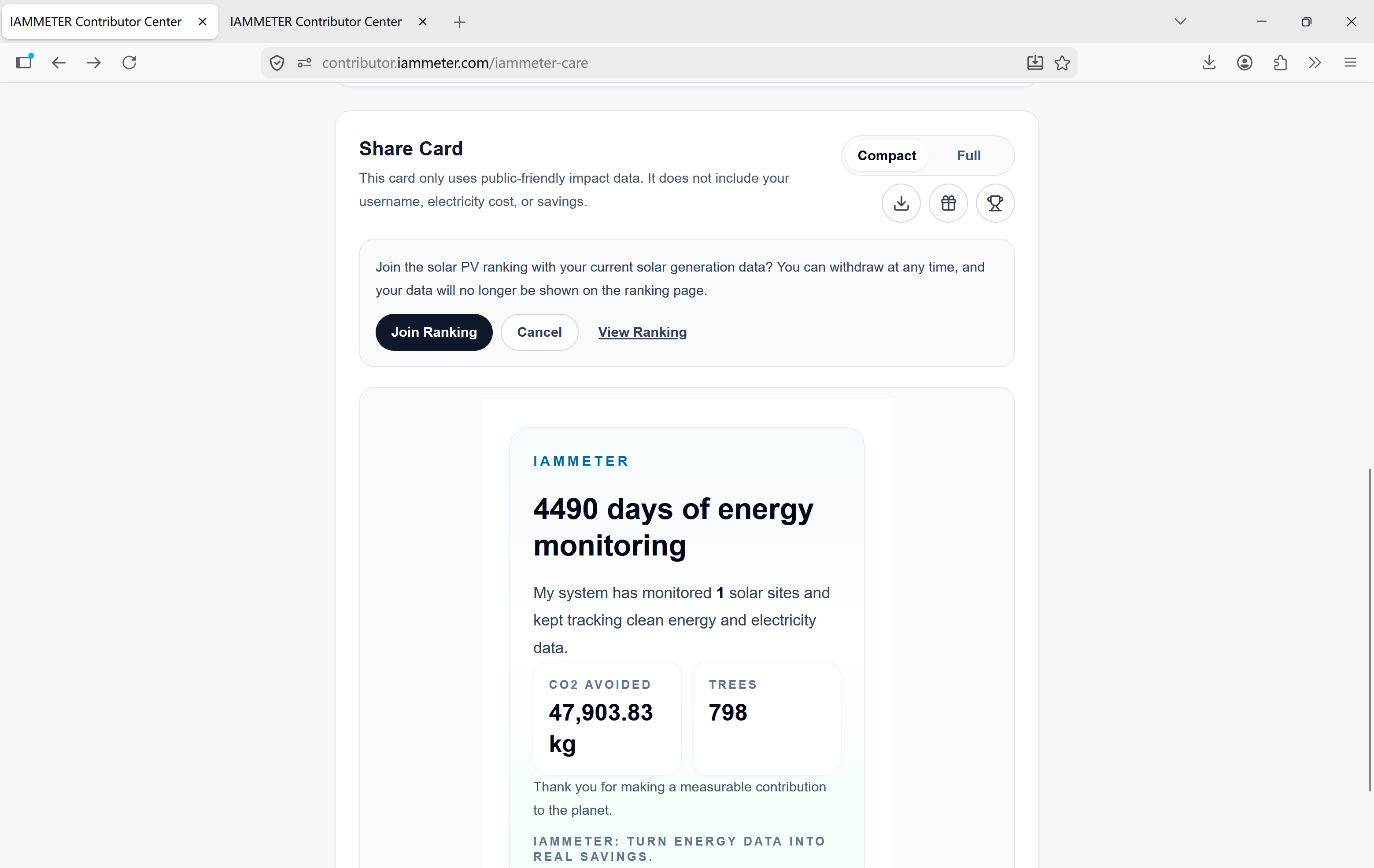
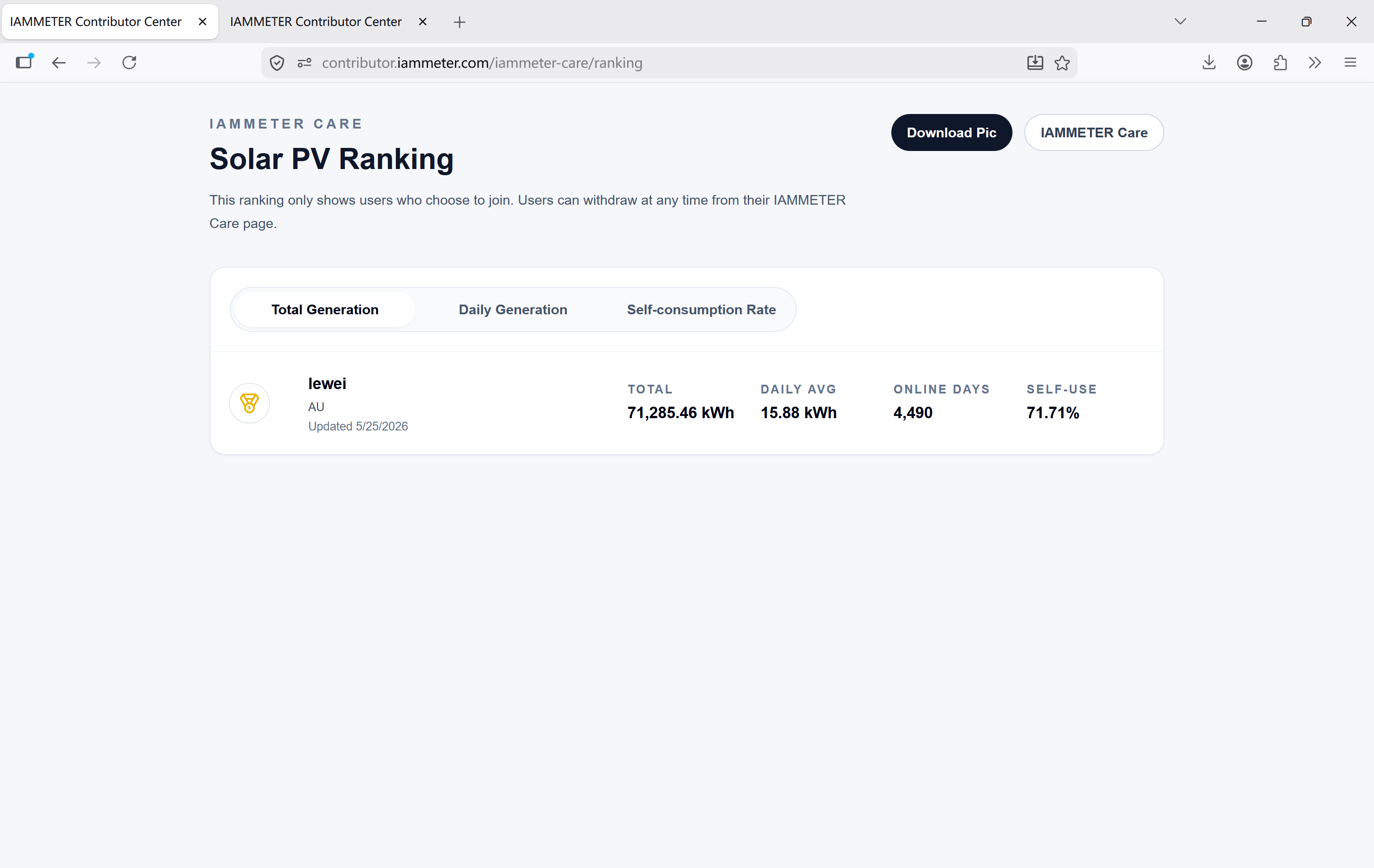
After you click Join Ranking, your PV data will appear on the ranking page:
This gives users a more direct way to compare PV performance and participate in the community.
How to Leave the PV Ranking
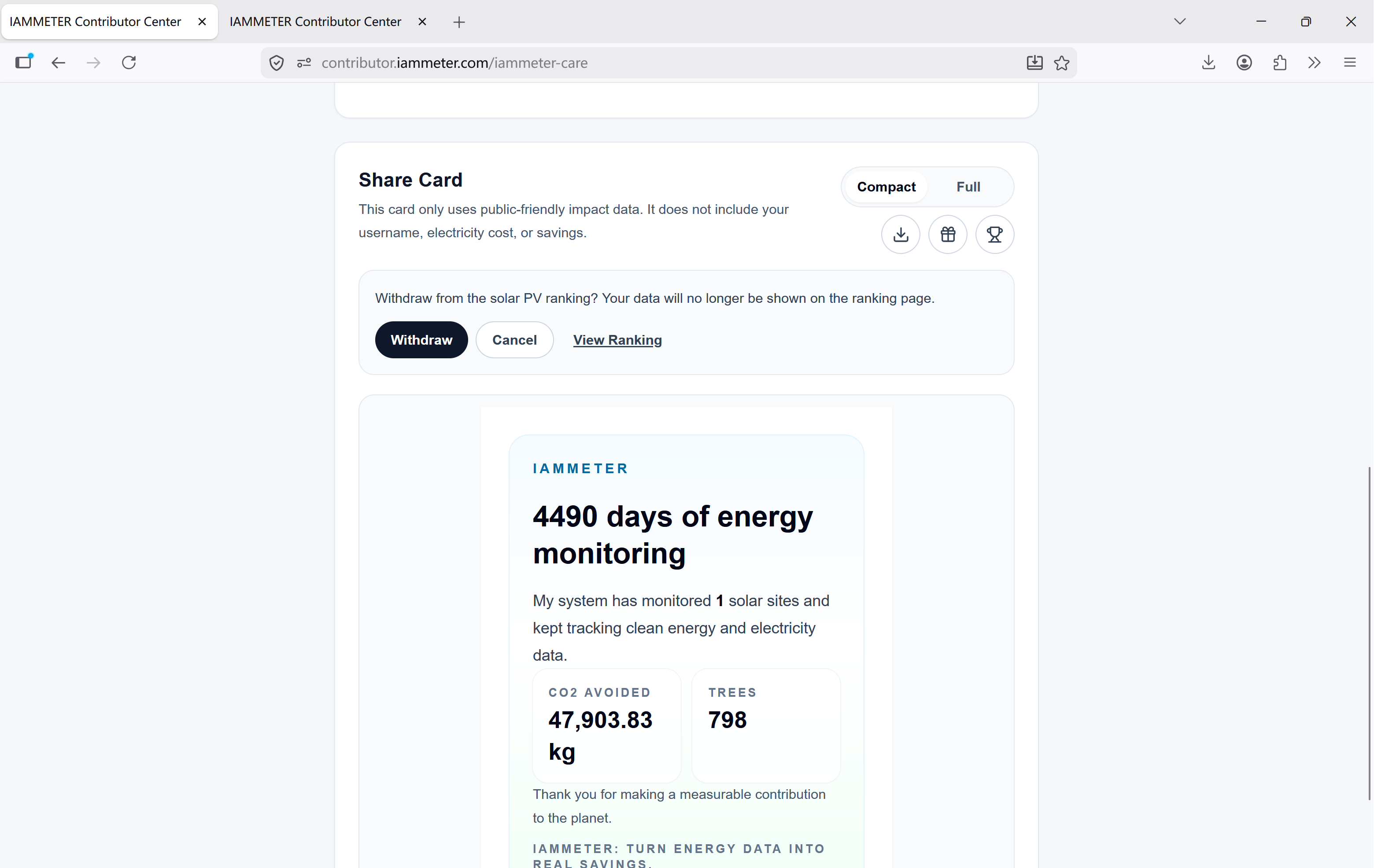
If you do not want to remain on the ranking page, you can leave it at any time.
Just click the same entry again and select Withdraw.
PV Ranking Page
Once you join, your data will be displayed on the PV ranking page, where you can see the current ranking view.
Why This Feature Matters
The value of the Share Card is not limited to generating an image.
It combines several separate actions into one workflow:
- view your PV station summary
- generate a shareable result card
- submit a contribution for reward points
- join or leave the PV ranking with one click
For IAMMETER users, this makes PV data more useful than simple monitoring alone. It becomes easier to share results, take part in contributor activities, and interact with the wider IAMMETER community.
This also matches IAMMETER's broader goal. IAMMETER is not only about displaying energy data, but about helping users make better use of that data in ways that support energy awareness, solar self-consumption, and lower electricity bills.
Related Reading
Conclusion
If you already use IAMMETER Contributor Center, the new Share Card feature is worth trying.
It makes your PV summary easier to present, and it simplifies the process of contribution submission and PV ranking participation. For users who want a more convenient way to share solar results and take part in IAMMETER community activities, this is a practical update.