


Build Your Own IAMMETER Energy Dashboard in 5 Minutes
Many IAMMETER users eventually want to customize their monitoring interface. For example:
- Add their company logo to the monitoring dashboard for presentations or client projects
- Display only specific parameters such as Active Power, Reactive Power, or Current
- Create more visually appealing charts to present energy data
- Build a large-screen energy monitoring dashboard to monitor multiple IAMMETER meters
- Create a custom solar and energy monitoring interface for their own system
To support these customization needs, IAMMETER launched the open-source project:
👉 /newsshow/iammeter-app-store-launched
The project is built around the IAMMETER API and local interfaces, allowing users to develop their own applications.
In the past, this type of customization required programming knowledge.
But now, with the help of AI, things have changed.
Even non-developers can now build their own IAMMETER Static App energy dashboard in just a few minutes. video tutorial
Build an IAMMETER Dashboard with AI
Start by opening the IAMMETER GPT assistant:
https://chatgpt.com/g/g-68e9cc3b83408191901b66b524ba5373-iammeter-assistant
Then simply ask something like:
please give me a static app, monitor the power value of the single phase meter. let me configure the IP and refresh interval in this dashboard.
You can describe any requirements directly, such as:
- Monitor Reactive Power
- Display NEM (Net Energy Metering) readings
- Create a professional solar monitoring dashboard
- Add interactive charts
- Monitor multiple IAMMETER meters
As long as your request includes keywords like “static app” or “dashboard”, the IAMMETER GPT assistant will understand that you want to generate a Static App.
The assistant will then generate a complete HTML-based energy monitoring dashboard.
Preview the Generated Dashboard
Below is an example conversation with the IAMMETER GPT assistant.
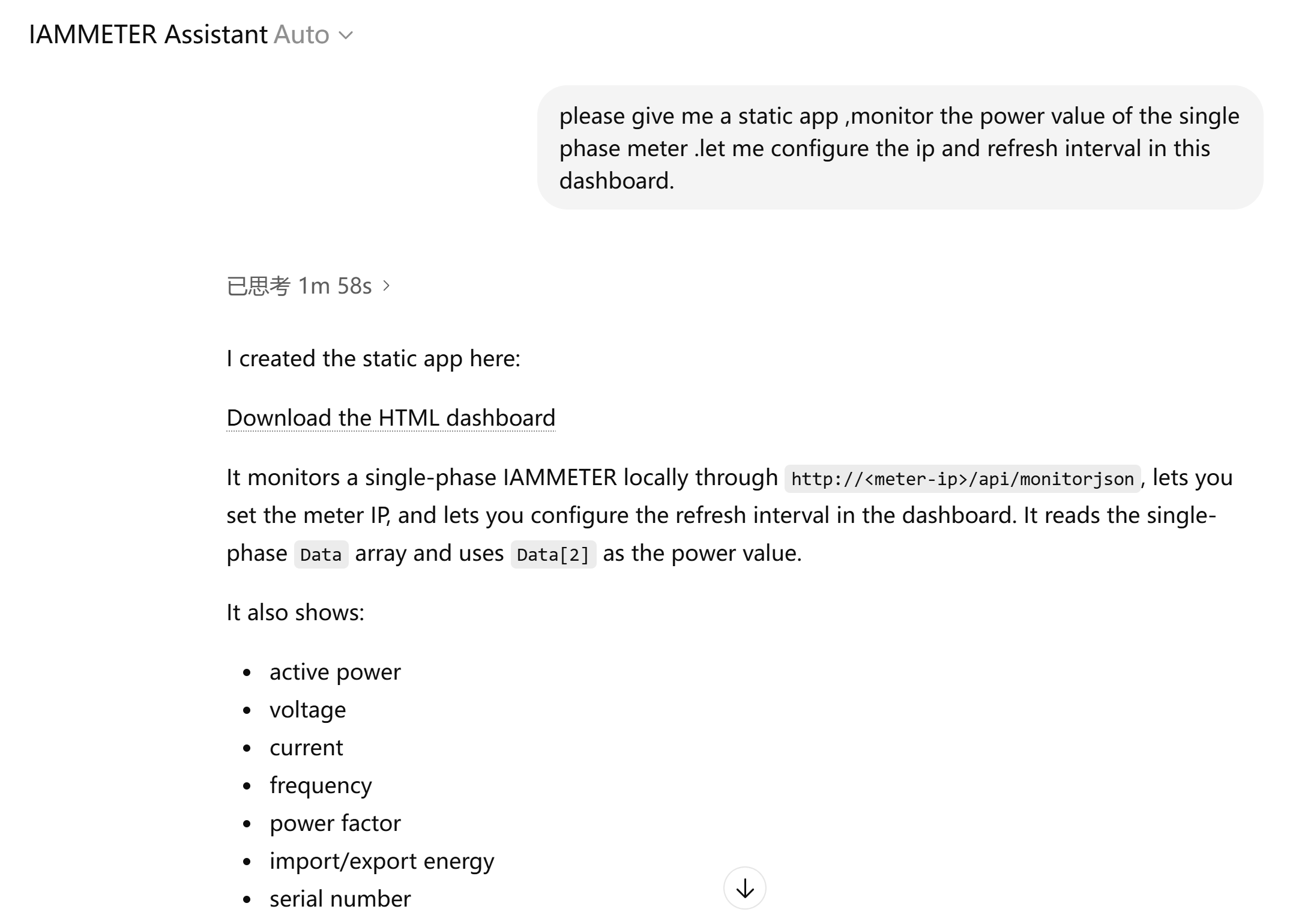
You can preview the generated Static App directly in the interface.
If you want changes, simply continue the conversation and ask the AI to modify it.
Download and Run Your Static App
Once you are satisfied with the generated dashboard:
- Click Download
- Save the generated HTML file
- Open it locally in your browser
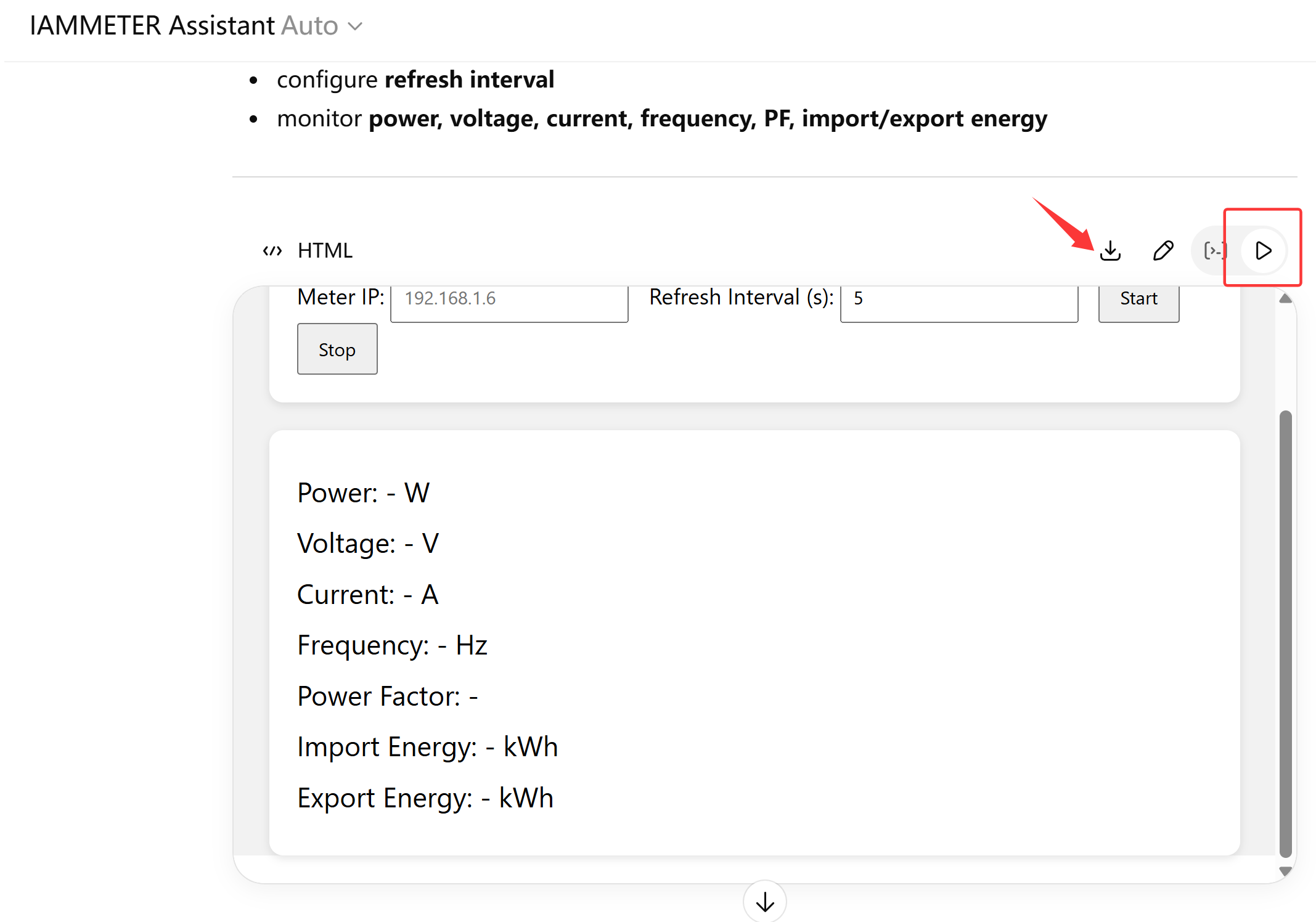
No installation is required.
Why IAMMETER Static Apps?
Static Apps are extremely simple and powerful.
- No server required
- No installation required
- Only one HTML file
- Works in any modern browser
This makes Static Apps ideal for:
- energy monitoring dashboards
- solar monitoring dashboards
- electricity usage visualization
- multi-meter monitoring screens
With AI assistance, the barrier to building custom dashboards has essentially disappeared.
Now the only limit is your imagination.
Example: Simple IAMMETER Static Dashboard
Below is a simple example showing how a Static App can read data from an IAMMETER meter.
<!DOCTYPE html>
<html>
<head>
<title>IAMMETER Power Monitor</title>
</head>

<body>

<h2>IAMMETER Power Dashboard</h2>

Power: <span id="power">loading...</span> W

<script>

const meterIP = "192.168.1.6";

function updatePower(){

fetch(`http://${meterIP}/monitorjson`)
.then(res=>res.json())
.then(data=>{
document.getElementById("power").innerText=data.Data[0].P;
});

}

setInterval(updatePower,3000);
updatePower();

</script>

</body>
</html>
With AI assistance, you can easily expand this into a complete energy monitoring dashboard with charts and multiple meters.
Try the IAMMETER AI Assistant
👉 https://chatgpt.com/g/g-68e9cc3b83408191901b66b524ba5373-iammeter-assistant
Use the AI assistant to generate your own IAMMETER energy dashboard Static App.
Share Your Static App
If you build a Static App that you like, you are welcome to submit it to the IAMMETER App Store:
👉 https://github.com/IAMMETER/appstore
Other IAMMETER users will then be able to download and use your application.
IAMMETER will also reward contributors through our community program:
👉 /community/rewards-points-program
We look forward to seeing more creative applications from the community.