


Alexa Energy Monitor: Connect IAMMETER to Amazon Alexa
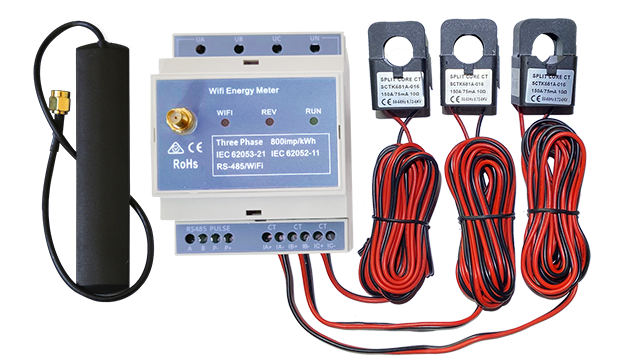
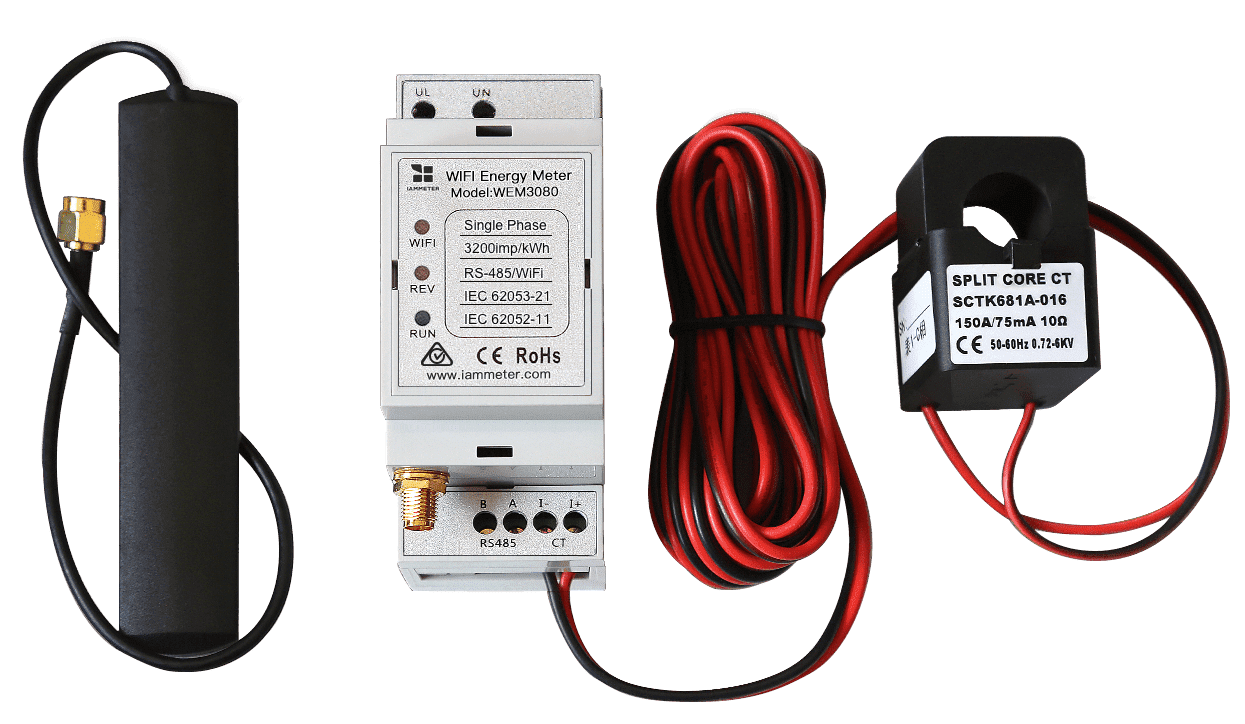
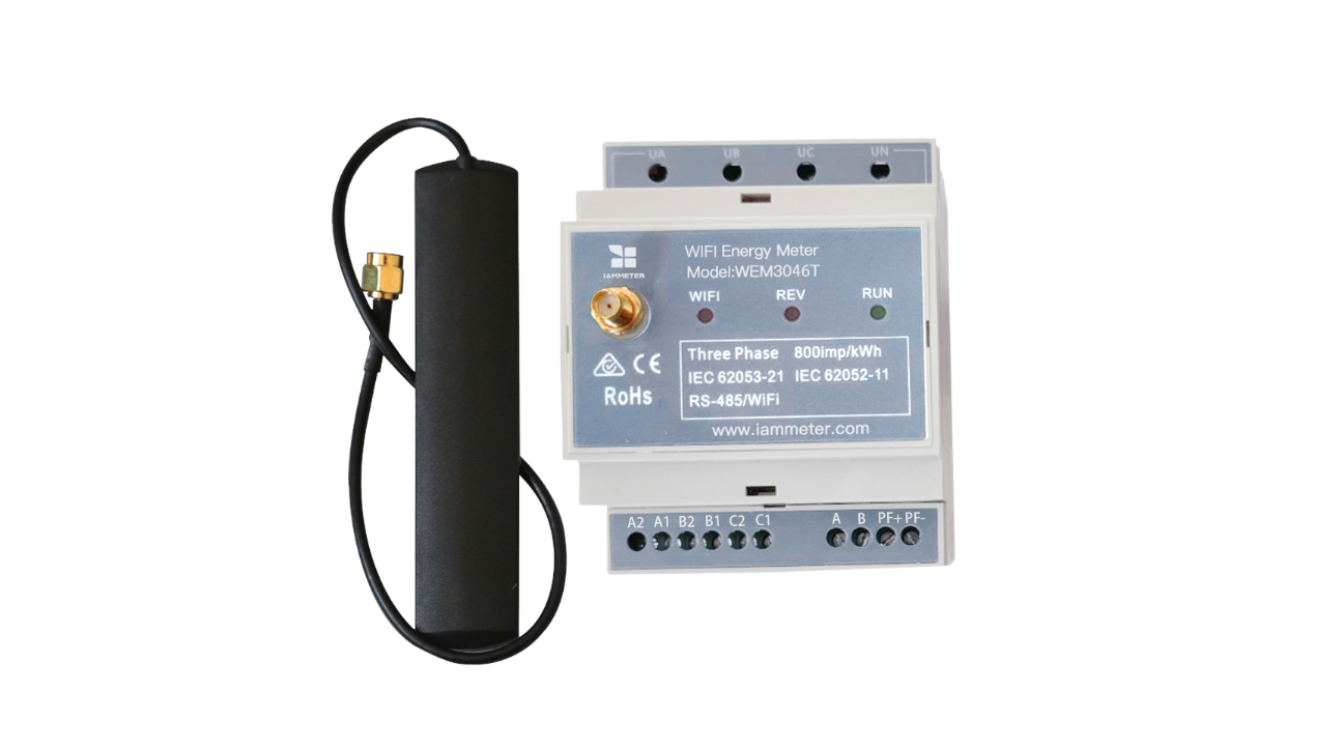
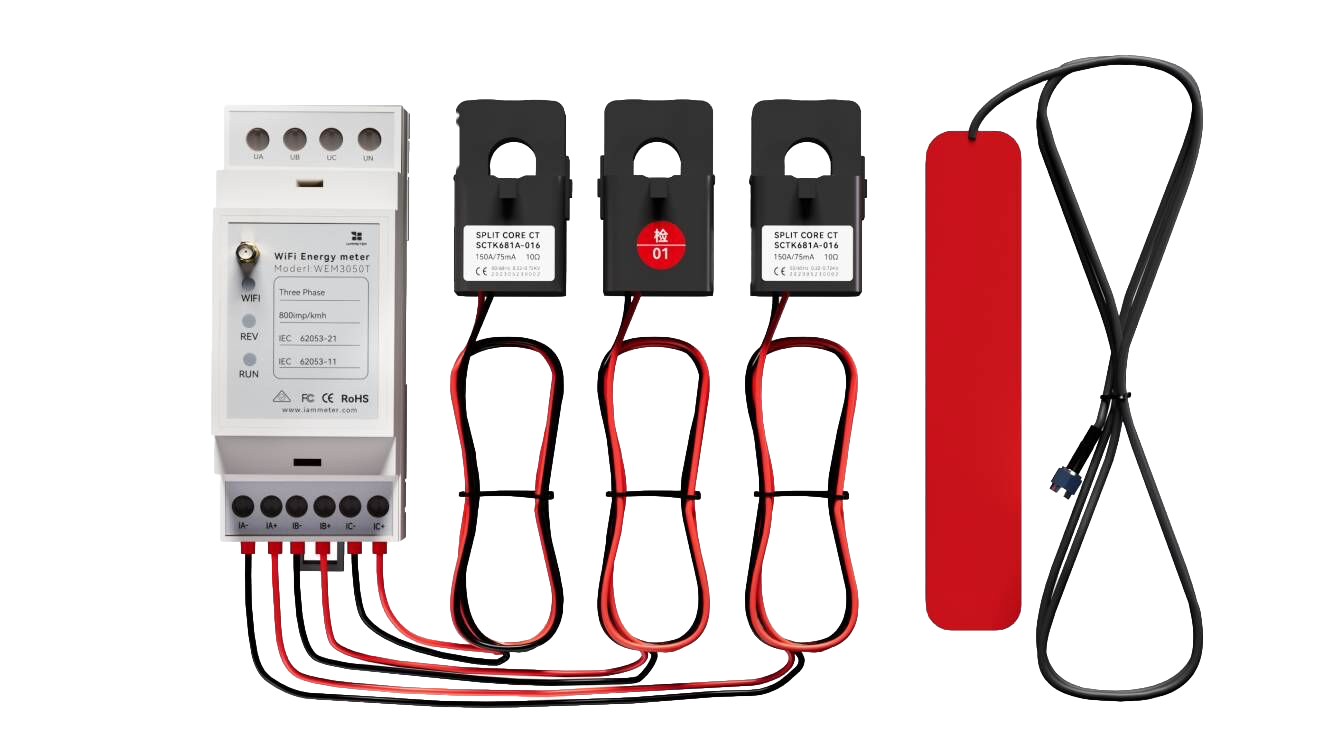
IAMMETER is a Wi-Fi energy meter and energy monitoring system designed for electricity monitoring, solar energy systems, and smart energy management.
The IAMMETER Alexa skill allows you to monitor your home electricity usage using Amazon Alexa voice commands.
After linking your IAMMETER account, Alexa can help you:
- Check real-time power consumption
- View electricity usage
- Check meter status
- Monitor solar energy generation (if connected to a solar system)
This guide explains how to enable the IAMMETER Alexa Skill and link your IAMMETER account in the Alexa app.
Video: https://youtu.be/FhgO6cvWfBw
What You Can Do with IAMMETER on Alexa
After enabling the IAMMETER Alexa skill, Alexa becomes a simple home energy monitoring interface.
Typical use cases include:
- Check current power usage
- Monitor solar generation
- View electricity consumption
- Check energy meter status
IAMMETER works as an Alexa-compatible energy monitor, allowing users to monitor electricity usage through voice commands or Alexa-enabled devices such as Echo Show.
Learn more about IAMMETER energy monitoring solutions:
- IAMMETER Wi-Fi Energy Meter /products
- IAMMETER Solar Energy Monitoring System /applications/solar-pv-system-monitoring
- IAMMETER API & Local Integration Guide /newsshow/blog-fw-features
Prerequisites
Before starting, make sure you have:
- The Amazon Alexa app installed on your phone or tablet
- An IAMMETER account (username + password)
- You are signed into Alexa with the Amazon account used on your Echo/Alexa devices
Step-by-Step: Enable IAMMETER Alexa Skill and Link Account
1. Open the Alexa App Menu
Open the Alexa app and tap the menu icon (☰).
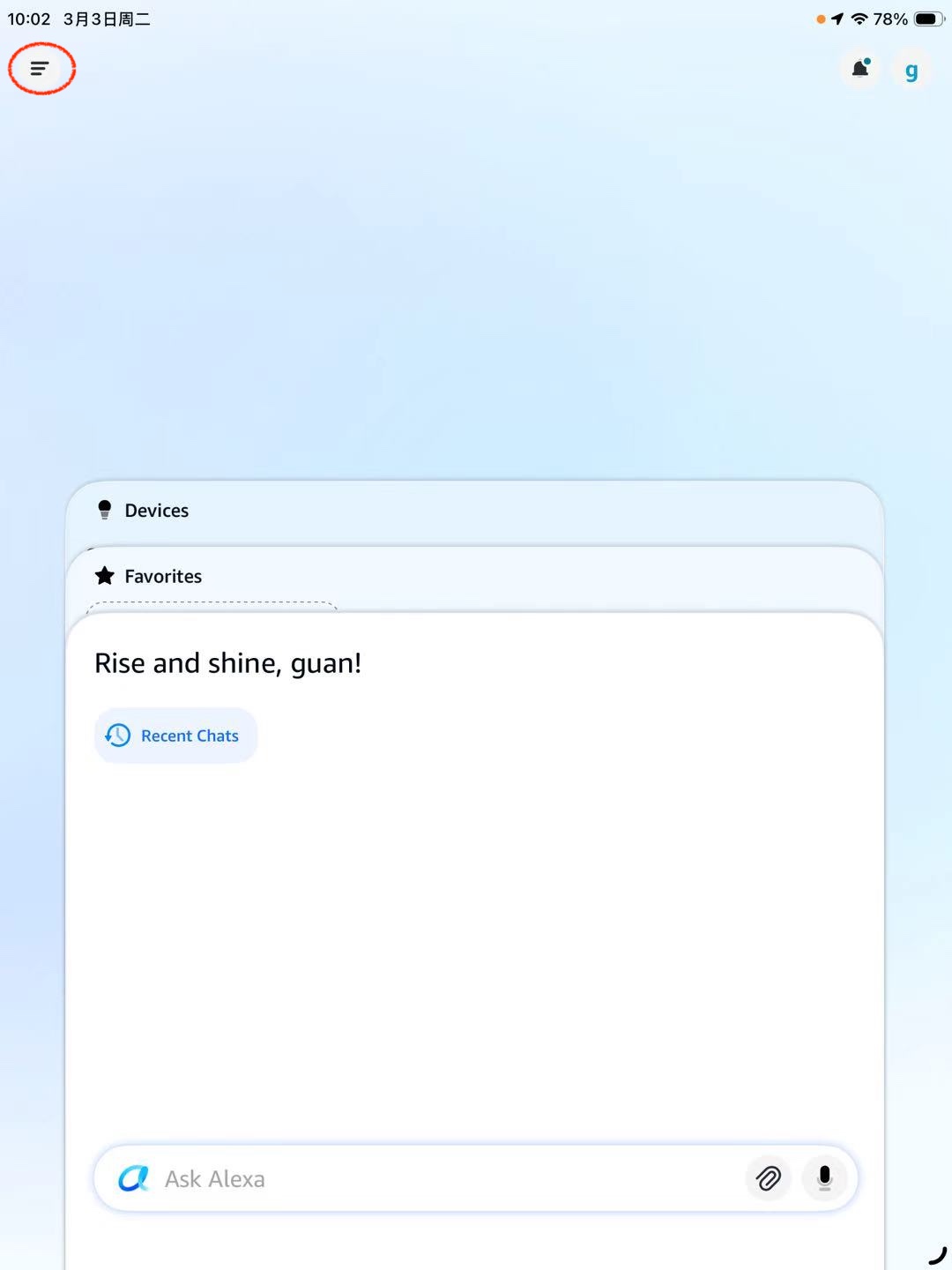
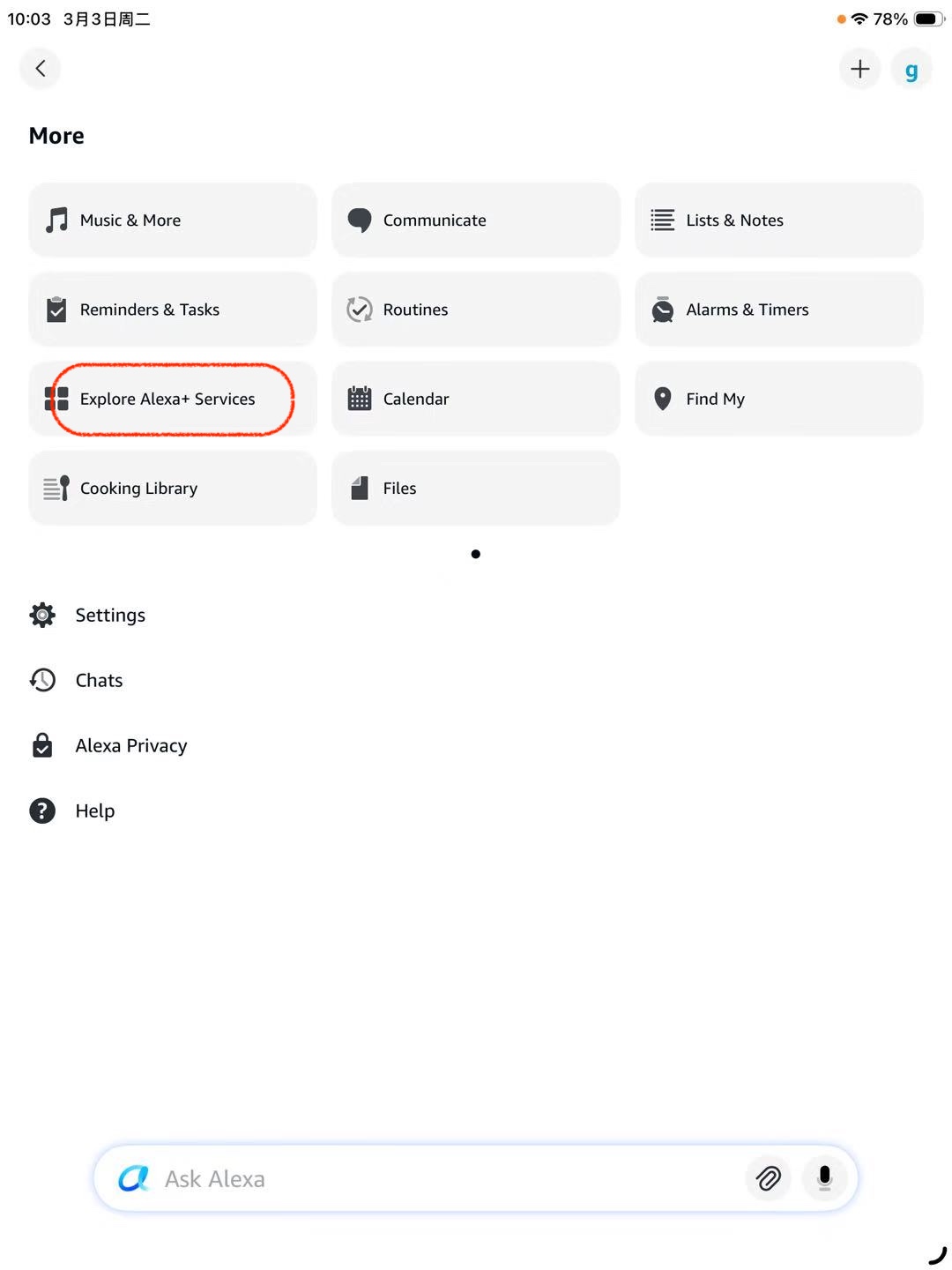
2. Go to the Skills / Services Discovery Page
Tap Explore Alexa+ Services. (The wording may vary depending on region or app version.)
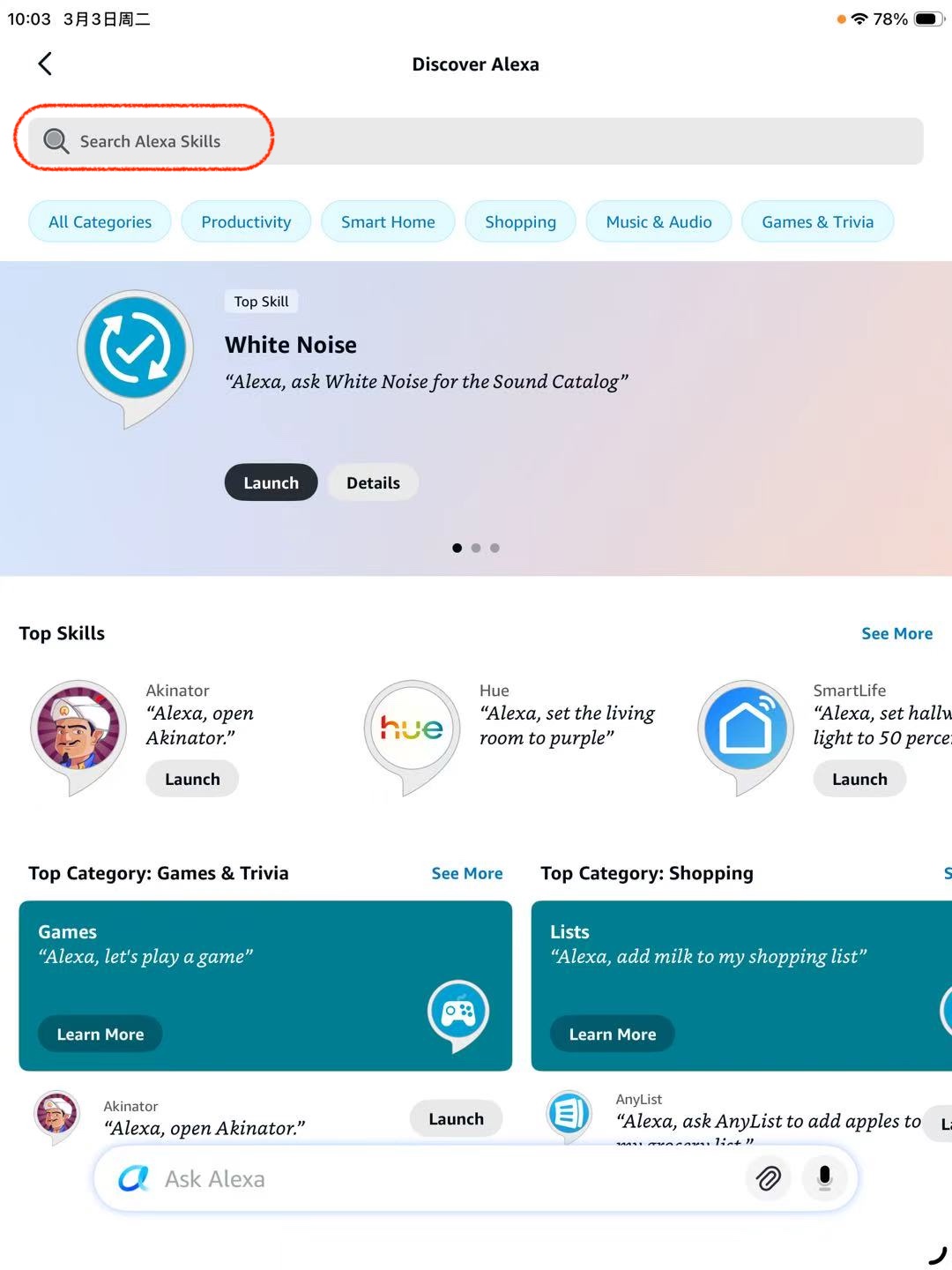
3. Search for the IAMMETER Skill
Use the search bar to search Alexa skills.
Type:
iammeter
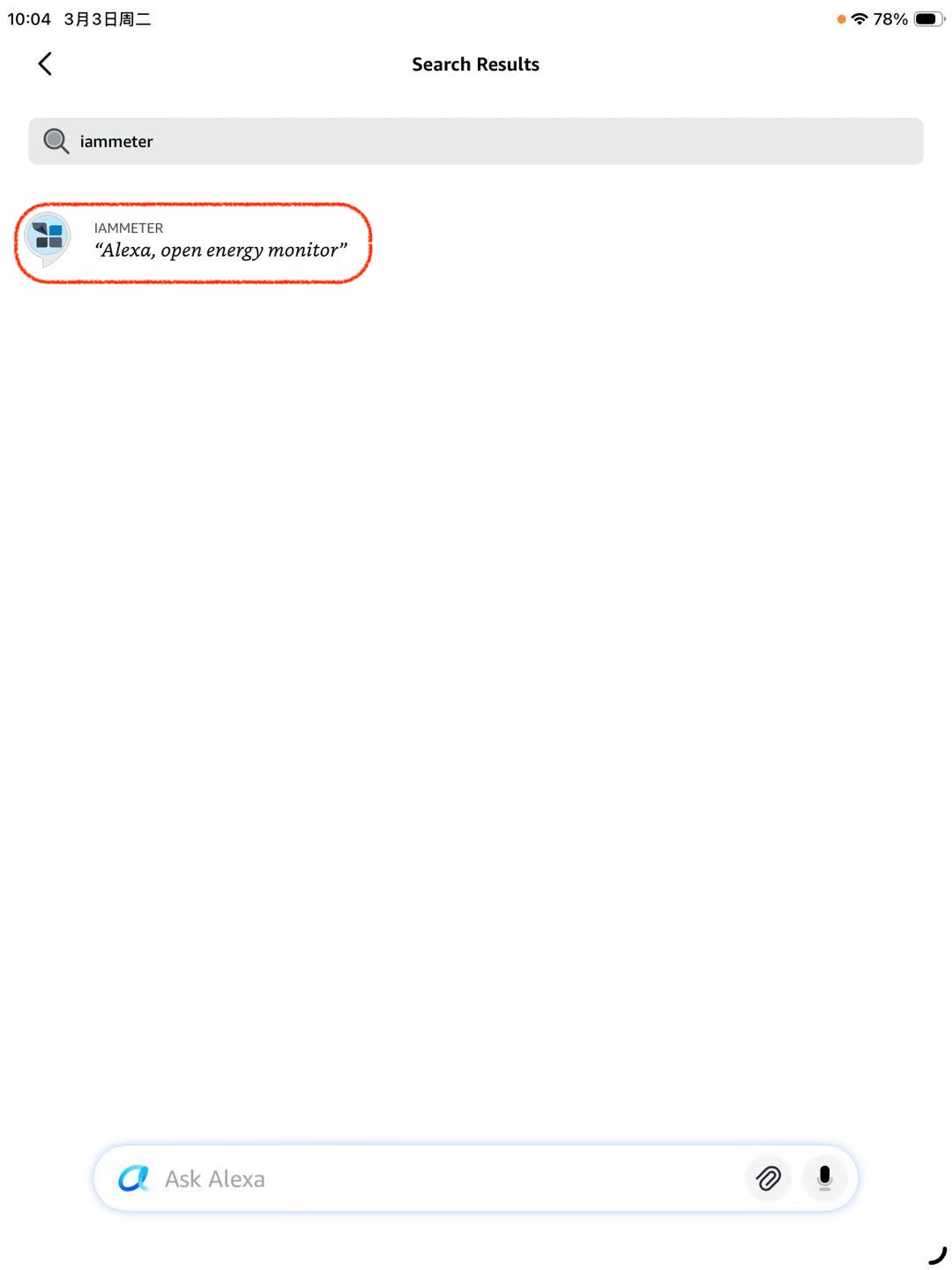
4. Open the IAMMETER Skill
Select IAMMETER from the search results.
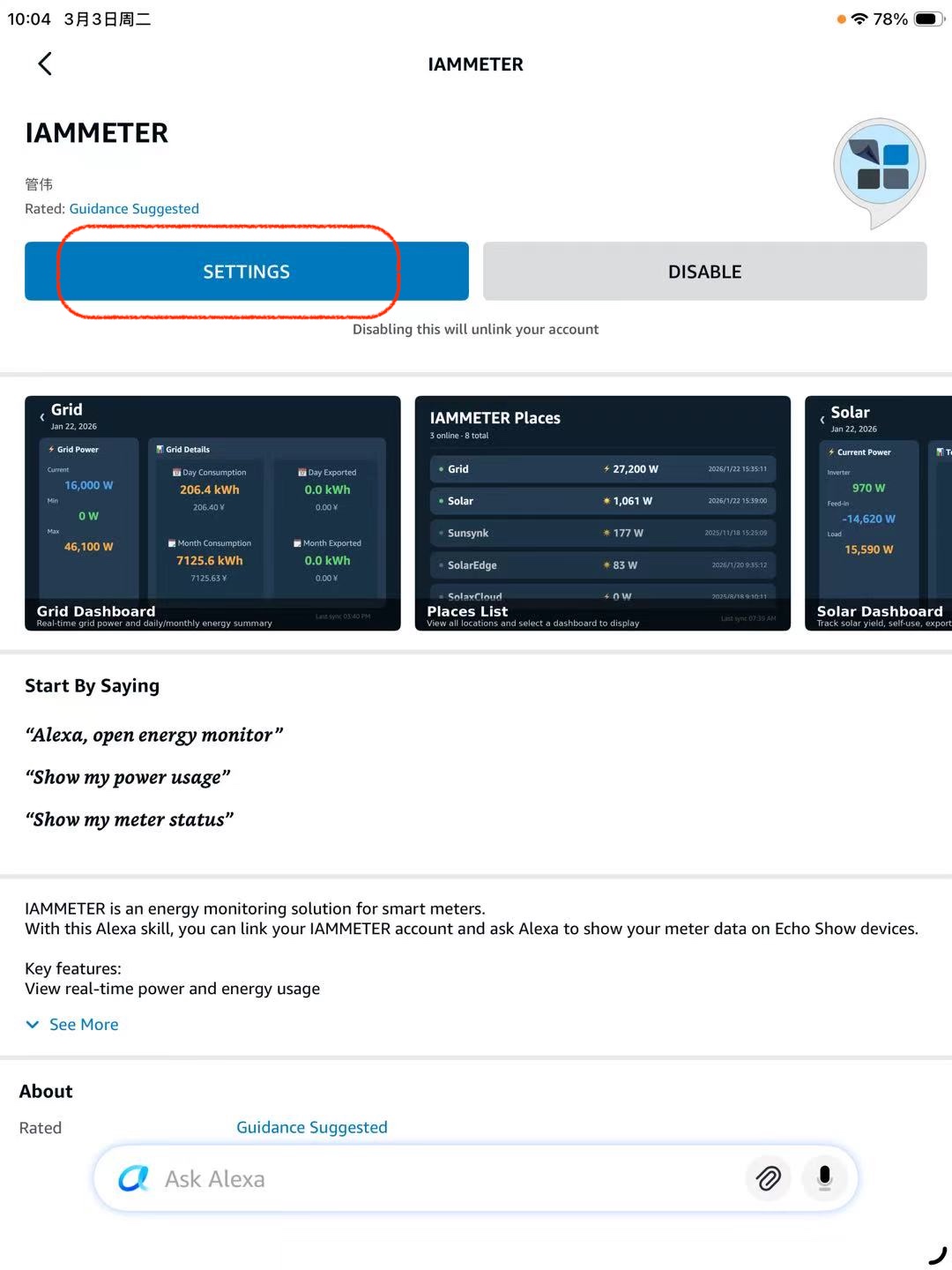
5. Open Skill Settings to Link Your Account
On the skill page, open SETTINGS to begin account linking.
This will open the IAMMETER OAuth authorization page.
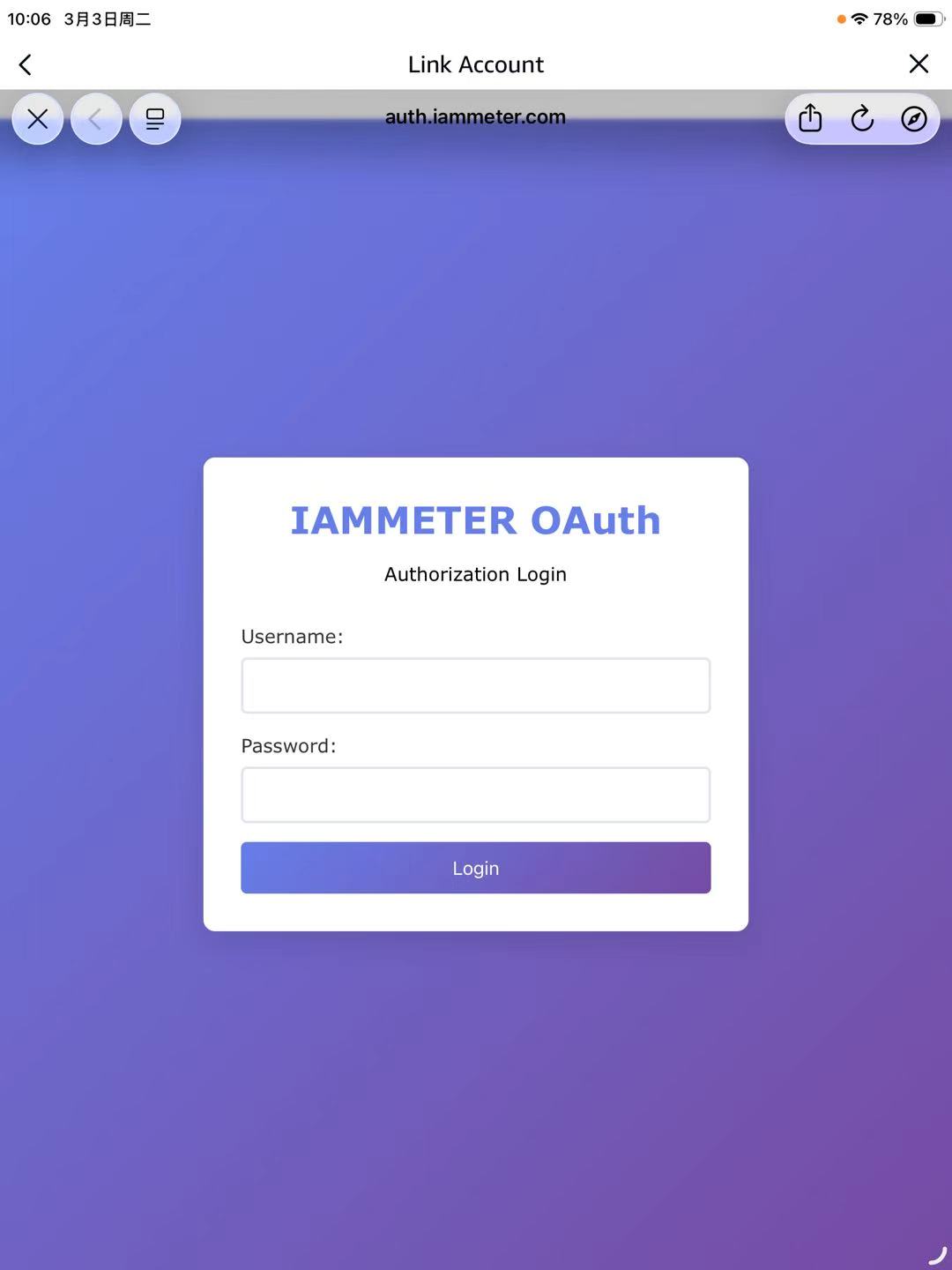
6. Sign in to IAMMETER
Enter your IAMMETER credentials and tap Login.
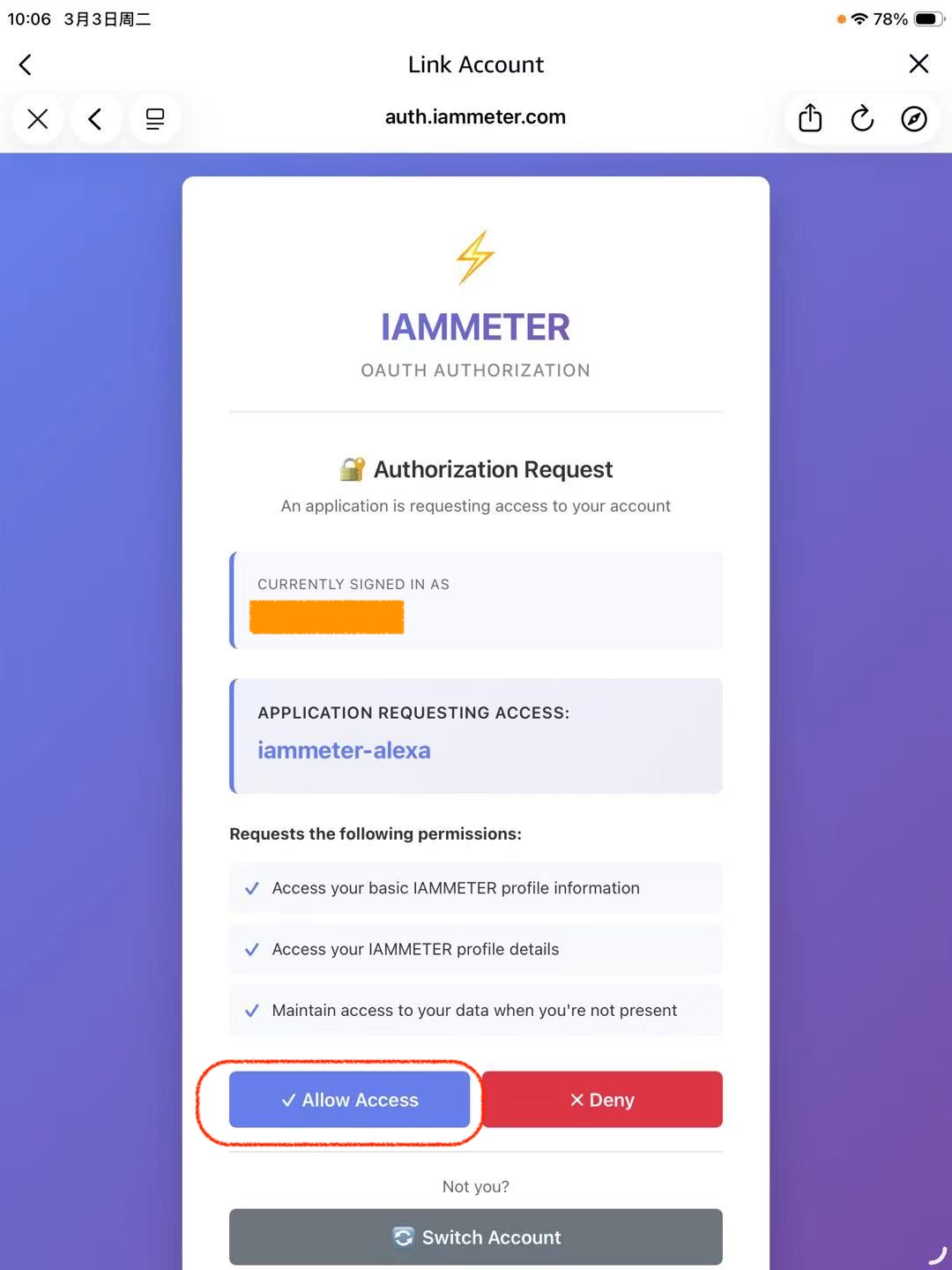
7. Grant Permission
Tap Allow Access to allow Alexa to access your IAMMETER data.
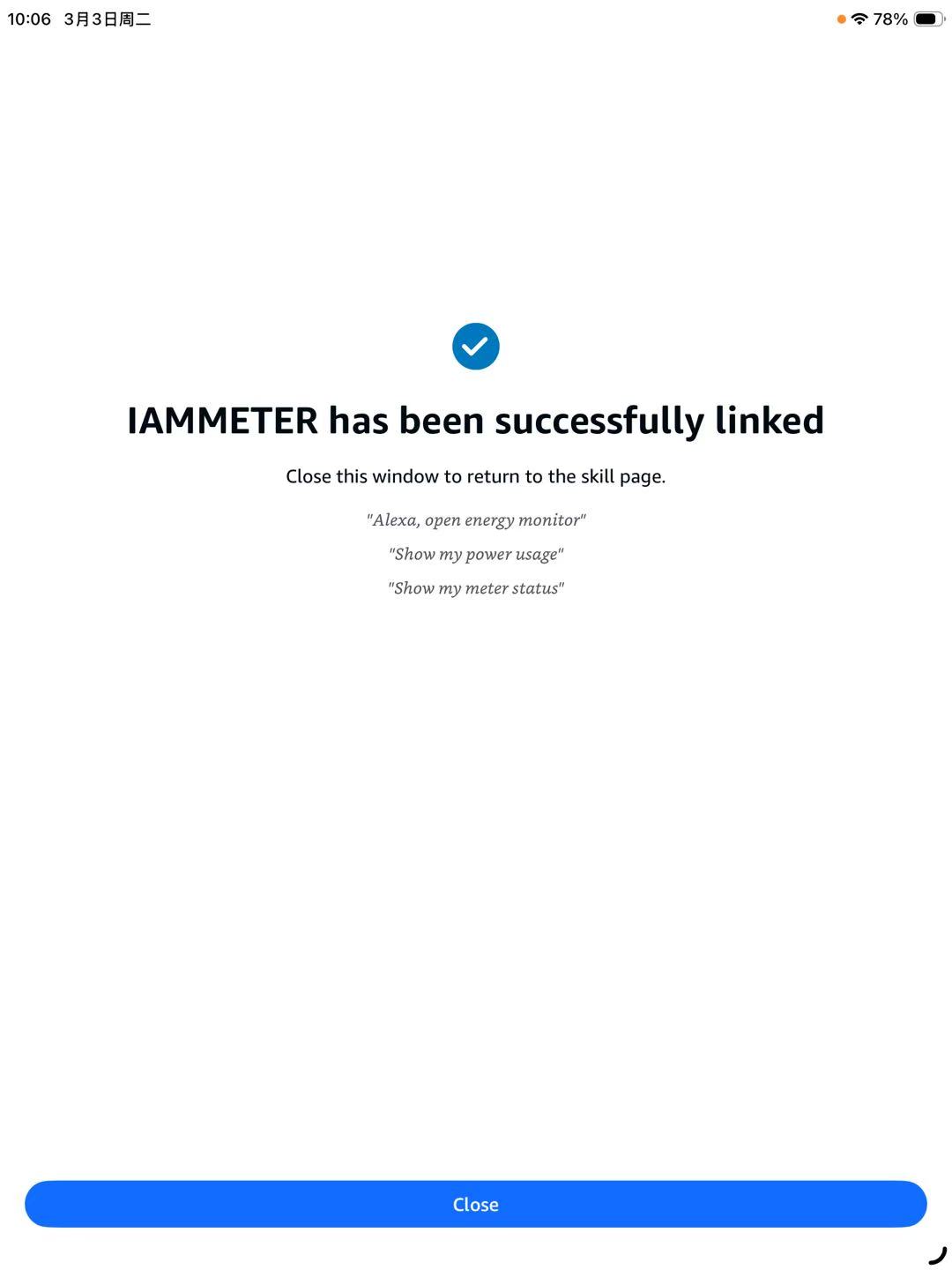
8. Account Linked Successfully
You should see the message:
“IAMMETER has been successfully linked.”
Tap Close to return to the Alexa app.
Try It: Example Alexa Voice Commands
After linking IAMMETER to Alexa, you can try commands such as:
- “Alexa, open energy monitor”
- “Show my power usage”
- “Show my meter status”
If you use an Echo Show, the electricity usage data may also be displayed visually.
Troubleshooting
Can’t Find the Skill in Search
- Check your Amazon account region
- Verify the Alexa app language
- Try searching for: IAMMETER energy monitor
Login Page Doesn’t Load
- Check your internet connection
- Close the Link Account page
- Reopen the IAMMETER skill and tap SETTINGS again
Wrong IAMMETER Account Linked
To fix this:
- Open the IAMMETER skill page
- Tap DISABLE
- Enable the skill again
- Link the correct IAMMETER account
You may also see Switch Account on the authorization page.
Security and Privacy Notes
During account linking, Alexa opens the IAMMETER authorization page:
auth.iammeter.com
Your password is submitted only to IAMMETER to obtain a secure authorization token.
Alexa receives only the authorization token, not your IAMMETER password.
FAQ
Does IAMMETER work with Amazon Alexa?
Yes. IAMMETER provides an Alexa skill that allows users to check power usage and energy meter status through Alexa voice commands.
Can Alexa show electricity usage?
Yes. After linking IAMMETER to Alexa, you can ask Alexa to display or read your electricity usage information.
Which IAMMETER meters support Alexa?
All IAMMETER meters connected to IAMMETER-Cloud can be accessed through the Alexa skill.
Can Alexa monitor solar power with IAMMETER?
Yes. If your IAMMETER meter is installed in a solar power system, Alexa can show solar generation and electricity usage information.
Start Monitoring Your Energy with IAMMETER
If you want to monitor electricity usage with Alexa, you first need an IAMMETER Wi-Fi energy meter.
Learn more about IAMMETER products here:
IAMMETER supports:
- Home electricity monitoring
- Solar power monitoring
- Energy data analysis
- Integration with Alexa, Home Assistant, and other smart home systems